iSkitch 2.0 Is Here: History, Copy Text, Frames and a New Look
The biggest update since launch is out now: an editable history you can search by text, copy text and QR codes, a Frame tool with watermark, curved arrows, Shortcuts actions and a fully native look for macOS 26 and 27.
Since 1.9.0 we’ve shipped six small updates, each born from a support email (we go over them here). Meanwhile, on a separate branch, something bigger was taking shape: iSkitch 2.0. It’s been on the Mac App Store since October 22, 2026, as a free update. Here’s what’s new.
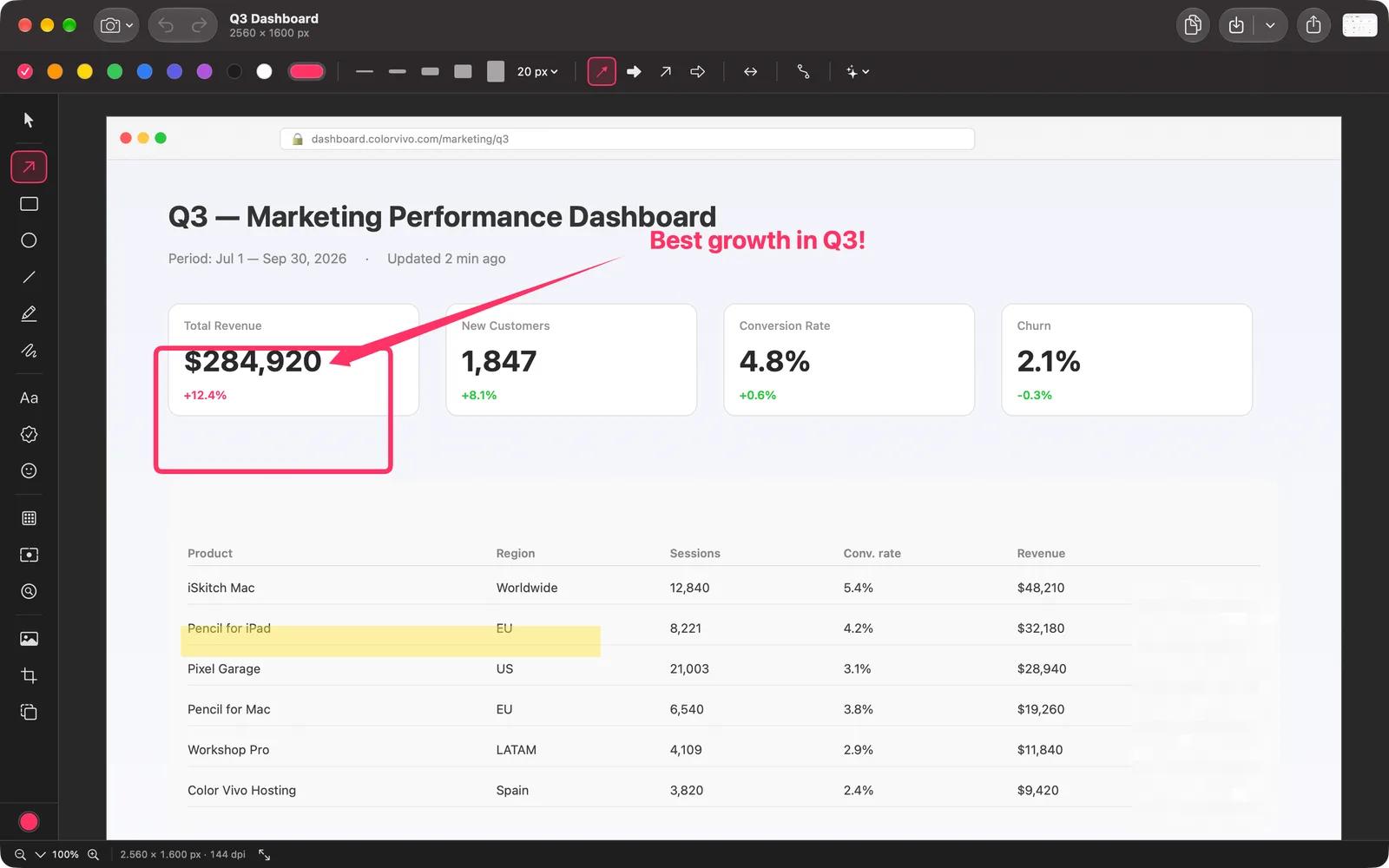
A native look, from the toolbar down
The editor now uses the macOS toolbar, unified with the title, and you can customize it like Finder’s. The bottom bar became a status bar with the zoom and the size in pixels. The tools are grouped (selection, shapes, text and stamps, hide and focus, image and crop), and they get one-letter shortcuts, as in Skitch and Preview: V, A, T, R… Press ? on the canvas to see them all. Settings are laid out like System Settings, the editor has tabs, and there’s a new icon. All of it built for macOS 26 and 27.
Every capture, still editable
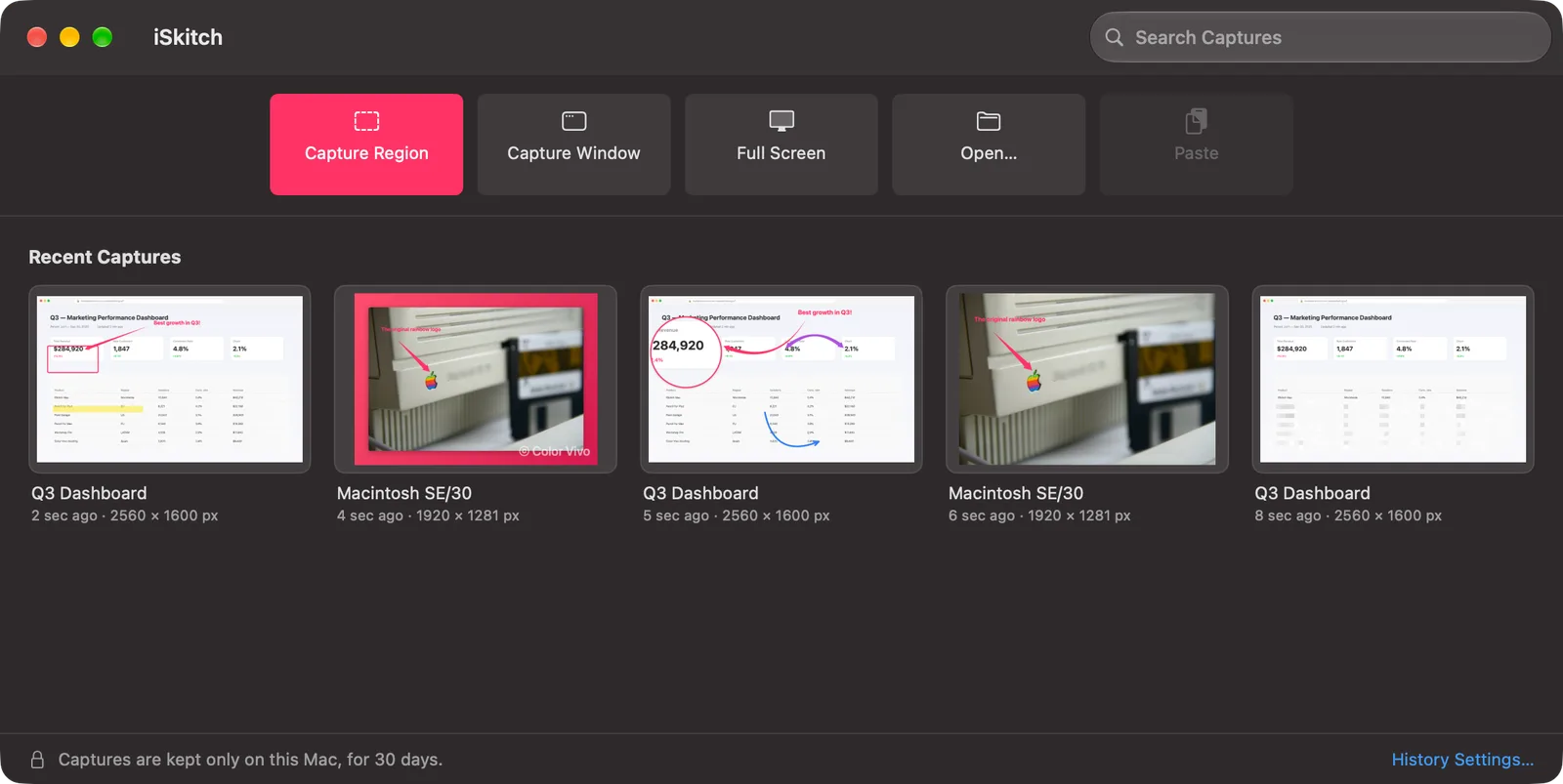
This is the change we’re most excited about. iSkitch 2.0 keeps a history of your captures on your Mac, for 30 days by default. Each one reopens with its annotations, ready to keep editing, and you can search them by the text inside: type a word you remember from the screenshot and it shows up. Opening iSkitch without a capture now brings up a start window with the recent ones instead of a blank canvas.
It all stays on your Mac, and you can shorten the retention or turn it off in Settings ▸ History. One honest note: the history keeps the original image, so an area you pixelated can be uncovered by reopening it. The “What’s New in iSkitch 2.0” sheet says so the first time you open it. And if you want a file to keep, there’s now an iSkitch document (.iskitch) you can reopen and keep editing anywhere.
Copy text, read QR codes
Press ⌥⌘7, select a region, and its text goes to the clipboard. If there’s a QR code, you get its content (and, if it’s a link, a button to open it). In the editor, Live Text lets you select text right on the image. It reads the flattened image, so whatever you covered with the pixelate tool doesn’t end up on the clipboard.
Point at exactly what matters
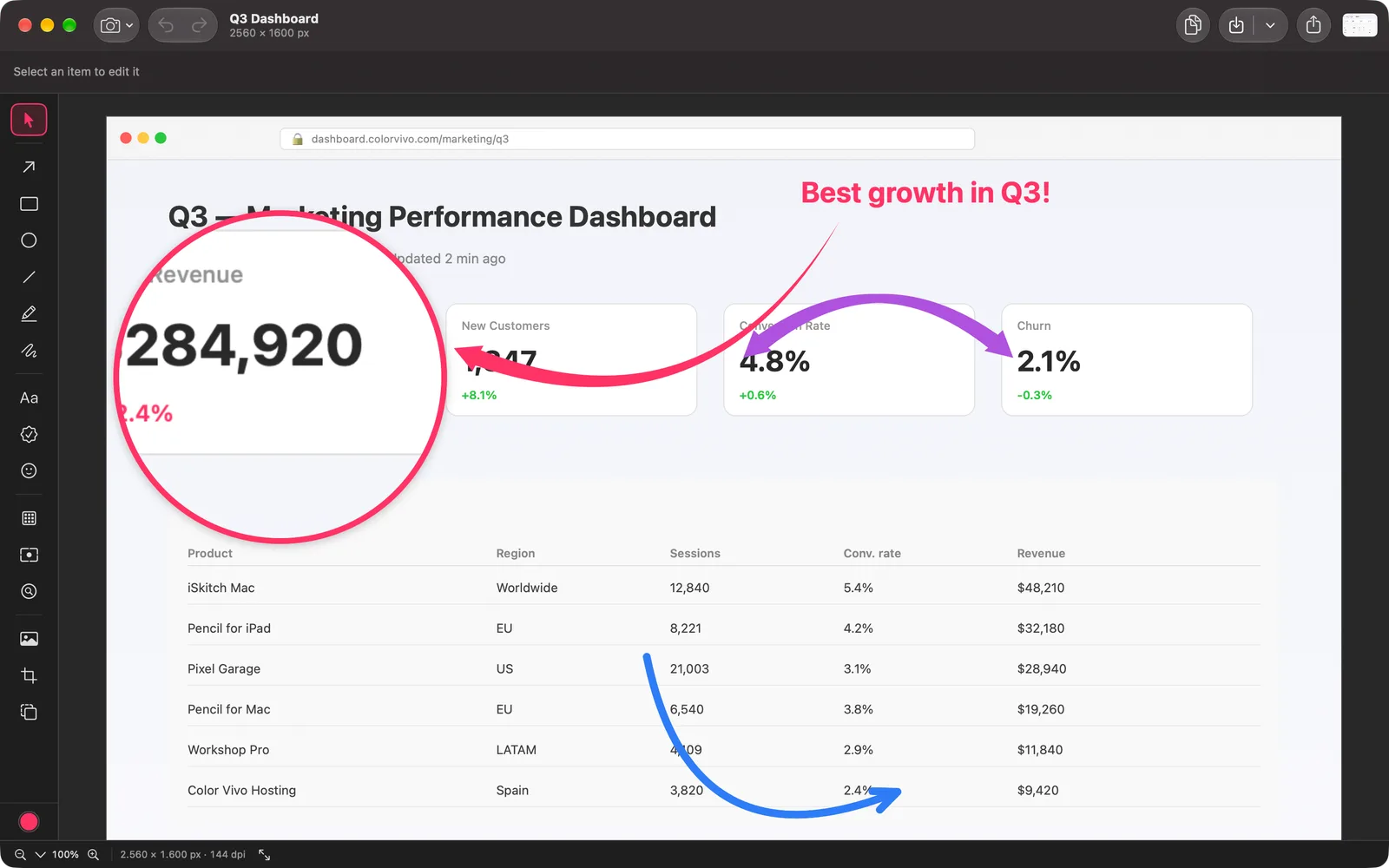
Arrows can now curve: drag the handle in the middle. There’s a new Magnifier tool, round or rectangular, at 2×, 3× or 4×, for the detail no one sees at 100%. And saved styles let you keep your favorite arrow, text or shape and apply it with one click.
The Spotlight tool can now darken much more, from 20 to 90%, after a customer found it too subtle on photos.
Ready to post, in one click
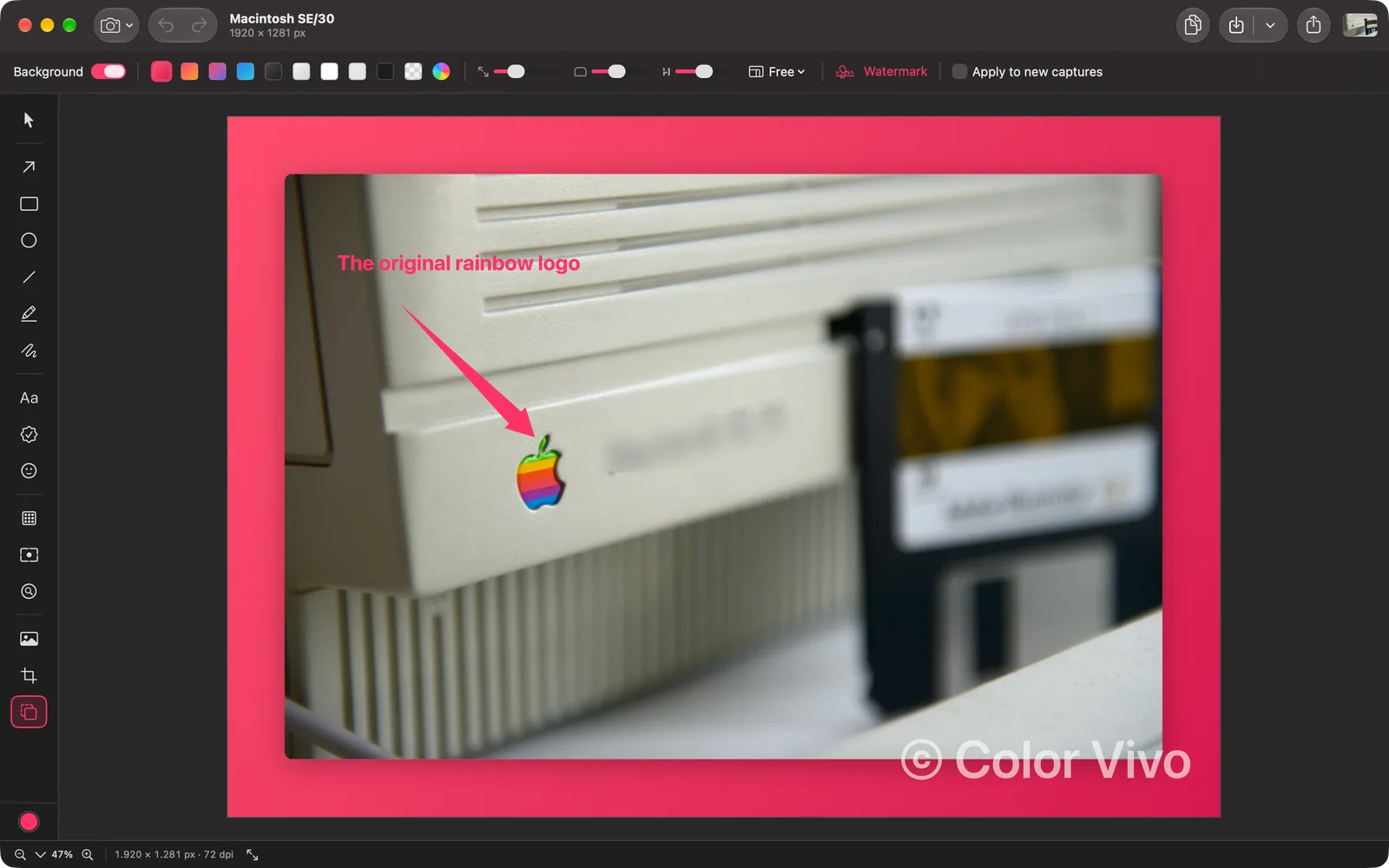
The new Frame tool presents a capture on a background (gradient, solid or transparent) with padding, rounded corners, shadow and an aspect ratio. It also adds your watermark, as text or an image. You can apply your frame to every new capture automatically.
Capture, faster
- Quick access: an optional thumbnail in a corner after capturing, to copy, save, annotate, copy its text or pin it. You can also drag it straight into any app.
- Pin to Screen: keep a capture floating above your windows, with the opacity you want. Handy for copying something from one place to another.
- While you select a region, a magnifier shows the position and color under the pointer. There’s an option to freeze the screen and another to hide desktop icons from the capture.
Works with Shortcuts and Spotlight
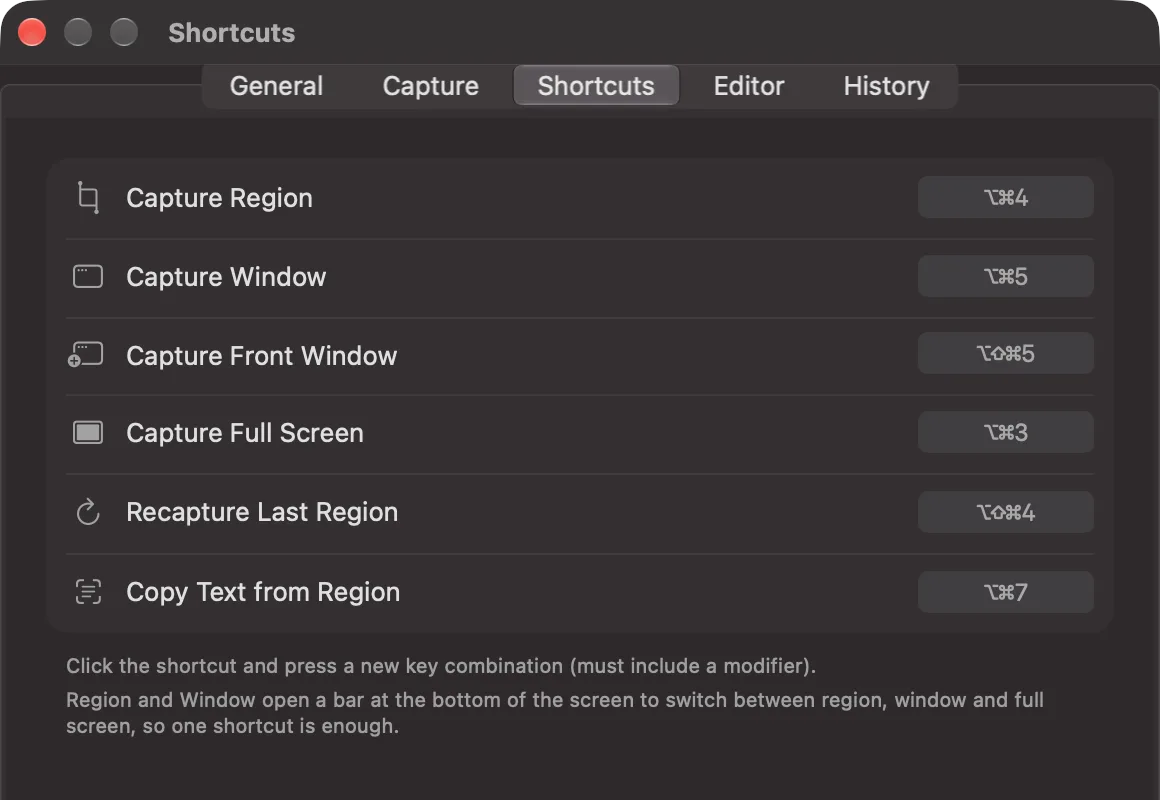
For the first time, iSkitch brings actions for the Shortcuts app and Spotlight: capture a region, a window or the full screen (to the editor, the clipboard or a file), copy text from a region, and open the last capture. They show up on their own, no setup needed.
1.10.3 vs 2.0 at a glance
| 1.10.3 | 2.0 | |
|---|---|---|
| Requires | macOS 14 | macOS 26 |
| Editor toolbar | iSkitch’s own | macOS toolbar, customizable |
| One-letter tool shortcuts | — | ✓ |
| Tabs in the editor | — | ✓ |
| History, searchable by text | — | 30 days, on your Mac |
| Start window | — | ✓ |
| Editable document (.iskitch) | — | ✓ |
| Copy text and QR codes (⌥⌘7) | — | ✓ |
| Live Text in the editor | — | ✓ |
| Arrows | Straight | Straight or curved |
| Magnifier tool | — | 2×, 3×, 4× |
| Saved styles | — | ✓ |
| Spotlight darkness | Fixed at 50% | 20 to 90% |
| Frame and watermark | — | ✓ |
| Quick access thumbnail | — | ✓ |
| Pin to Screen | — | ✓ |
| Magnifier while selecting | — | ✓ |
| Freeze screen, hide desktop icons | — | ✓ |
| Shortcuts and Spotlight actions | — | ✓ |
| Price | Paid app, no subscription | Free update |
What you need
iSkitch 2.0 requires macOS 26 or later. If your Mac runs macOS 14 or 15, iSkitch 1.10.3 keeps working as it does today, and the App Store will keep offering it to you.
It’s a free update for everyone who already has iSkitch, as always: no subscription, no account. It’s available now on the Mac App Store.
Capture. Annotate. Share in one click.
iSkitch lives in your menu bar, ready for ⌥⌘4 — native, private, one-time purchase.
Get iSkitch